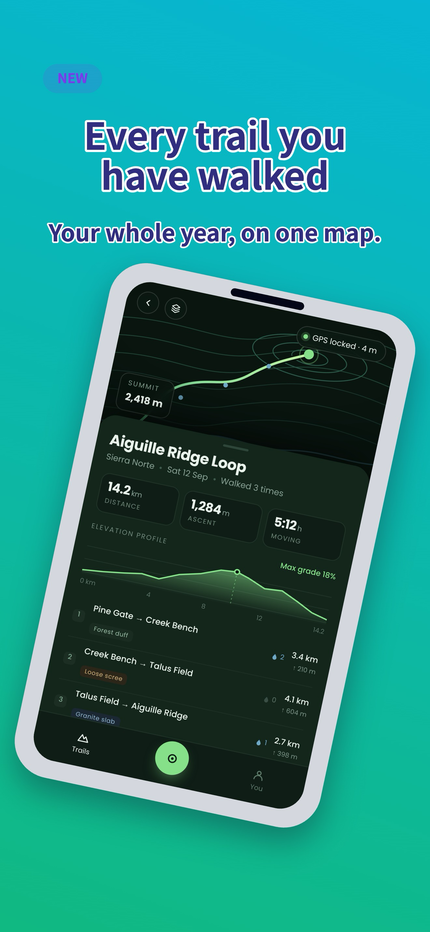
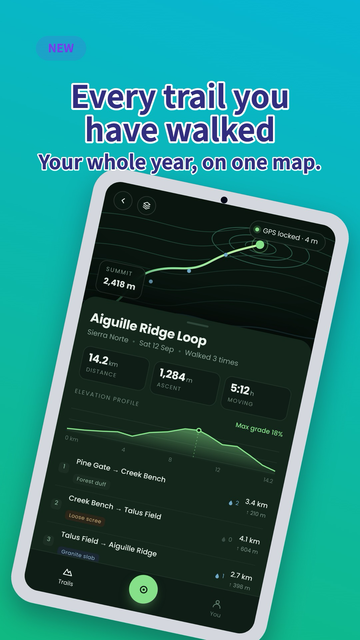
Trailhead
Outdoors · GPS tracking
One design, resolved into both stores.
App Store + Google Play 15 screenshot sizesverified 2026-09-12For indie devsPay once
Drop in your captures, pick a preset, write the copy once. Easy App Screens renders every size and every language your listing needs, checks each file against the sizes, formats and limits Apple and Google publish, and hands you a ZIP already foldered for upload.
Four to six hours of artboard work, in one sitting. No design skills, no rule-reading, and the next release is a capture swap.
No card, no trial clock. Build the whole set for free and export one real file — no watermark, full resolution — before you decide anything. When you do decide it is $149 once, not a subscription.
A live walk-through of the editor, drawn by the same renderer the export uses. It needs JavaScript; the sizes it checks are all on the sizes page.
For the developer who ships the app and then has to ship the listing
Your screenshots are the product page for most of the people who ever see it, and for a lot of them the only part they see is whatever fits on the search result before they scroll. In every language you ship, too: Apple asks you to localise the screenshots, not just the words.
Which is why this is worth getting right — and why getting it right should not cost you an afternoon on every release.
What one release actually costs
50 5 screens × 2 device classes × 5 languages assets, every release
Capturing them is half an hour. Laying them out by hand is four to six hours. And it comes back on the next release, in the same order, with the same chance of one file being the wrong size — which App Store Connect catches for you, after you have already spent the afternoon.
Here you design one set. Move the device, change the type, swap the background: the whole set follows. Copy stays where you wrote it, in the language you wrote it in — that is the one thing that never gets propagated on top of you.
Build your first setFoldered by variant, language and size, the way each store expects
Capture → design → export
The first one is dragging files in. The third one is a button. Everything between them is the part where you decide what your app should say — one sitting the first time, a couple of minutes on every release after.
PNG or JPEG straight out of the simulator or a real device. Nothing to crop or resize first: the frame decides how much of the capture shows, and you zoom and pan it inside the frame from there.
Up to 12 MB per capture
A preset gets you most of the way in one click. From there you work on the canvas, not in a form: drag the device, angle it, frame the capture inside it, load the font your brand uses.
Undo, redo, and looks you can reuse on the next app
Choose sizes, languages and A/B variants. Pre-flight runs over every combination the ZIP will contain, not just the one on screen. Anything a store would turn down blocks the download before it starts.
One ZIP, already foldered
Made with it
Three example apps, each one started from a preset and taken somewhere else. No retouching afterwards and no second tool: what you see is the file the export wrote, scaled down to fit on this page.
Trailhead
Outdoors · GPS tracking
One design, resolved into both stores.
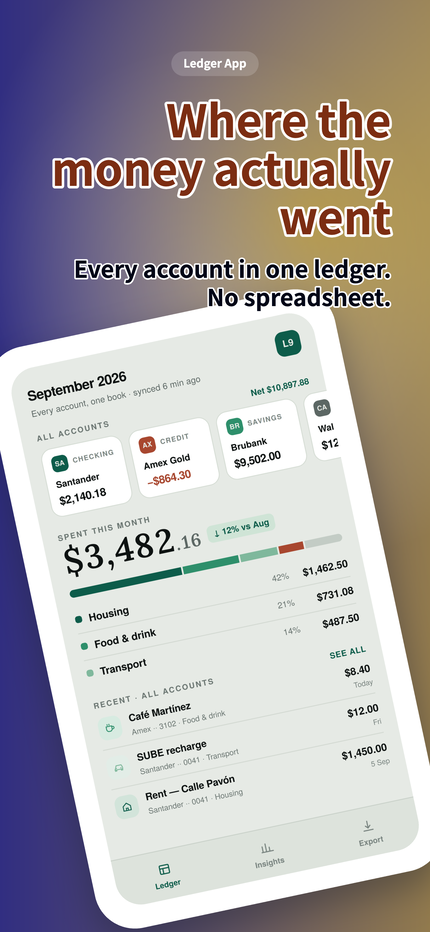
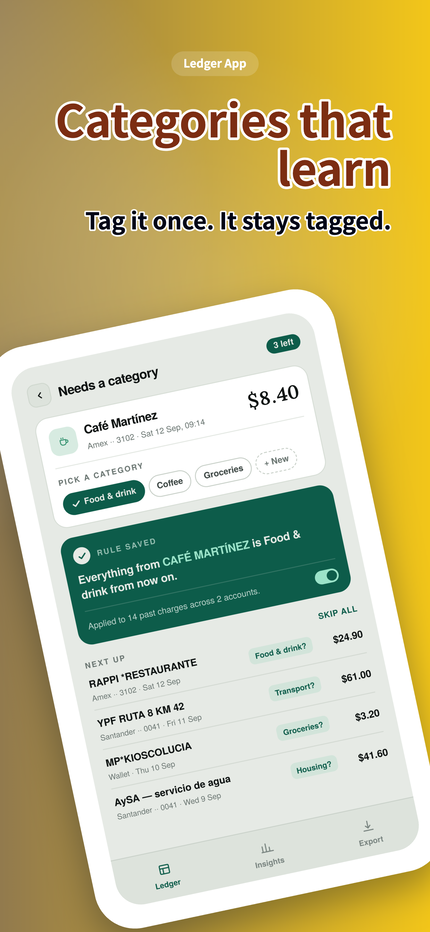
Ledger Nine
Personal finance
A look that is yours, not a preset anyone can spot.
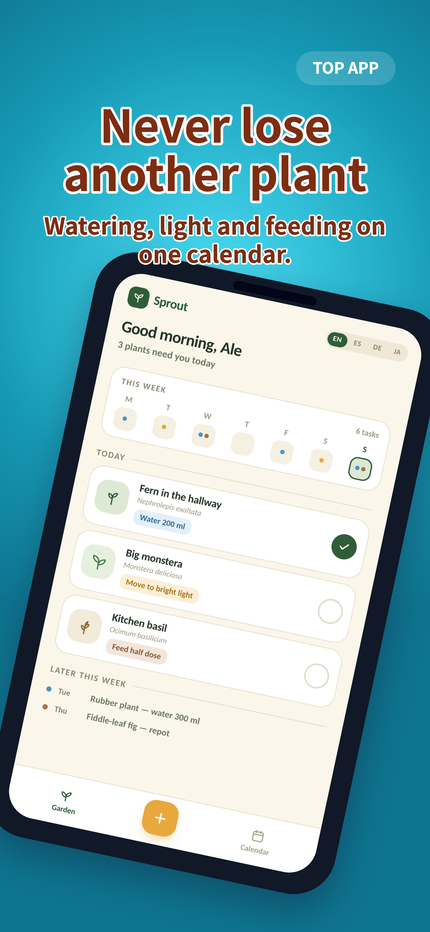
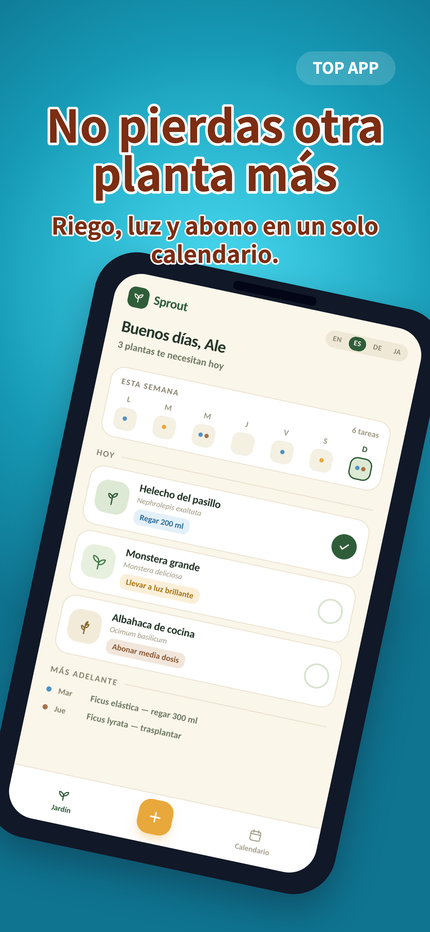
Sprout
Plant care
Four languages, one layout, nothing re-typed.
The apps are made up. The exports are not.
Compliance
Every size, format, count and severity lives in one file, each with the date it was last verified and a link to the store's own documentation. The pre-flight and the 17 size pages here read that same file. A rule cannot be written on this page and missing from the check.
An error means the store's own rule says this file gets rejected — you still get it, because that call is the store's to make, not a heuristic here. A warning tells you and gets out of the way.
Where the check stops. It reads the file: dimensions, format, alpha channel, how many assets the listing takes, whether your text actually fits and whether it reads against the background. It cannot tell you what a reviewer will think of what the screenshots say or show — content and policy are a human on their side, and that call stays yours. What it removes is the other reason uploads come back.
alpha-not-allowedPNG written with an alpha channel. The App Store rejects it even when every pixel is opaque.
text-does-not-fitHeadline still overflows three lines in German at 1290 x 2796.
low-text-contrastSubtitle reads at 3.9:1 over the gradient.
below-recommended-countGoogle Play phone listing has 1 screenshots; 4 is recommended.
Every file is re-read after encoding and checked against the rules again, because a canvas will happily write a format the store will not take.
Localisation
This is where a screenshot set usually falls apart. You duplicate the artboards, paste the translation, and half the headlines no longer fit — so you retype, you resize, and by the fourth language the languages have stopped matching each other.
All the copy in one grid. Every screen, every block, every language on one screen, so you can see which cell is still empty instead of clicking through to find out.
CSV or XLIFF, out and back. Send the real file your translator already works in, import what comes back, and nothing gets pasted into the wrong row.
The type shrinks before you do. A long translation reduces its own block until it fits the lines you allowed. What still overflows is flagged as an error, named and pointed at, not something you notice in the store six weeks later.
49 languages, with the fonts shipped. Every one the two stores take whose script our bundled typefaces cover, so the same file comes out of every machine instead of borrowing whatever font your computer happened to have.
A different capture per language. Your app is localised too. Drop the German capture onto the German screen and it replaces only that one; every other language keeps its own.
Pre-flight runs this over every language in the plan, at every size the plan exports — not the one on screen. A headline that only breaks on tablet, only in German, is still a headline that would have shipped.
Easy, and still yours
A preset is a starting point, not the deliverable. Every part of it opens: the frame, the background, the type, what sits on top of what. And you pick a silhouette rather than a model number, so the set holds up on a 6.9" phone, on a 13" tablet, and on whatever gets announced next September.
Zoom and pan the capture inside the device, keep its own proportion or crop it to the frame, angle it, and put it in front of the text or behind it.
Show the list and the detail in the same shot, each phone with its own capture, without compositing two exports in something else.
Solid, gradient, a photo, your own capture blurred out behind it, or one panorama that runs across the whole set and lands each screen on its own slice.
A vignette, a spotlight or a glass panel behind the copy, at the strength you pick, so a headline still reads over a busy screenshot instead of dissolving into it.
Four blocks, each with its own weight, line height and caps. Wrap a word in asterisks to colour it. Upload your brand typeface, one file per weight, and it renders in the export.
Save a look and start the next app from it. The copy is the one thing that never travels, by design.
A/B variants
Apple runs Product Page Optimization and Google Play runs listing experiments, and both want a second set of screenshots to test against the first. Here a variant is a copy of the set you can pull apart — a different headline, a different order, a different background — and it comes out in its own folder of the same download.
Pre-flight checks every variant, not the one you happen to be looking at.
Launch kit
The store is not the only place you post. The link preview, the square post, the wide one for the launch thread: same design, same set, same export, so you are not opening a second tool at eleven at night to make a picture the right shape.
The honest comparison
None of it is hard. It is just long, it is exactly as long every time, and the part that decides whether the upload works is the part that is easiest to get wrong at the end of a release.
The job
By hand
Here
Getting the sizes right
By hand · Look them up again, per store, per device class, and hope the page you found is current.
Here · You never type a dimension. The set resolves into every size the plan asks for.
A second language
By hand · Duplicate the artboards, paste the translation, fix the four headlines that no longer fit.
Here · One grid with all the copy, CSV or XLIFF out and back, and the type shrinks to fit on its own.
Changing the background on all of them
By hand · Fifty files, one at a time, and one of them gets missed.
Here · One change. The set follows.
A second set to test against
By hand · Duplicate everything, keep the two in sync by memory, and hope you export the right folder.
Here · A variant is a copy you can pull apart, and it comes out in its own folder of the same ZIP.
Knowing it will upload
By hand · Find out from App Store Connect, after the afternoon is gone.
Here · Find out before the download, on every file the ZIP contains.
The next release
By hand · The same four to six hours, again.
Here · Open the project, swap the captures, export.
Pricing
Screenshots come in bursts: the week you launch, and again at every release. So the month is there for the launch that only happens once, the year for a product that keeps shipping, and the one-off payment for everyone who would rather stop thinking about it. All three cover exactly the same thing — nothing is held back to make you upgrade.
Save 53% on the year
$0forever
No card, and no clock counting down.
The whole editor, so you can judge the result before you pay for it.
$7per month
Billed $84 once a year
For a release cycle that keeps going. The same thing, at under half the monthly rate.
$149once
200 of 200 left at this price, then $199
Everything in Yearly, paid for once instead of every year.
14-day refundLifetime included. Write to us and it goes back to the card that paid.
Paddle handles the moneyMerchant of record: their invoice, your VAT collected and paid, no card details here.
The files are yoursExported assets are on your machine. Nothing expires when a plan does.
No card to startThe free plan has no clock on it, and cancelling a paid one is two clicks and a confirmation — no retention script, no phone call.
The subscription tools we compared charge $90 to $228 a year on their cheapest yearly plan, for as long as you keep the account, and the meter does not stop while you are between releases. The lifetime licence is $149, once, and costs less than 2 years of any of them.
Before you sign up
Including the ones with an answer you may not like. What this does not do is written down here, not discovered after you have paid.
Or just try it, freeNo. A preset covers the layout, colour and typography of a whole set in one click, and the pre-flight tells you in plain words when something is off: text that does not fit, a badge over the safe area, a subtitle that will not read against the background. What is left is choosing the words, which is the part only you can do anyway.
One sitting, and most of it goes on the words rather than the layout. A preset resolves the design of a whole set in one click, so what is left is dropping the captures in, writing a headline and a subtitle per screen, and ticking the sizes and languages you want in the plan. The four to six hours this usually costs are artboard hours — duplicating, resizing, re-exporting, fixing the one file that came out wrong — and those are the ones that go away. Every release after the first is a capture swap and a download.
The captures come from wherever you already take them: a simulator, an emulator, a real phone, a tablet. PNG or JPEG, up to 12 MB each, at whatever size they came out — you do not crop or resize anything first, because the frame decides how much shows and you zoom and pan the capture inside it. The editor itself is a web page, so it runs the same on macOS, Windows and Linux, and you can build a full App Store set on a machine that is not a Mac. What it cannot do is take the screenshot of your app for you.
No, and this is the part that usually costs the most. The copy for every screen, every block and every language lives in one grid; you can send it out as CSV or XLIFF and import what your translator returns. If your translator is an assistant you already pay for, the same grid hands you the prompt and the JSON to paste into it — we call no model ourselves, and what comes back enters through the same import. A long translation shrinks its own text block until it fits the lines you allowed, so the German headline does not force you to redo the layout. If your app is localised too, you can drop a different capture on a single language and the others keep theirs. Pre-flight then runs over every language at every size, not the one on screen.
You open the project, swap the captures, and export. The layout, the copy, the languages and the variants are all still there, so a release turns into a capture swap and a download instead of the same afternoon again. If you are starting a different app, you can save the look you built and start that one from it — everything travels except the copy, which is deliberate.
No, and be suspicious of anything that says it does. The check reads the file: dimensions, format, alpha channel, how many assets the listing takes, whether the text fits and whether it reads against the background. Whether a reviewer objects to what a screenshot says or shows is content and policy review, it is a person on their side, and it stays your call. What we remove is the technical rejection, which is the one that costs you a day and tells you nothing.
Sizes, formats, counts and severities live in one file, each with the date it was last verified and a link to the store documentation. When one changes, the validator and the size pages on this site change with it, and the change shows up on the rule changes page with what it costs you. Every paid plan gets those updates, and the lifetime licence keeps getting them for as long as the product ships.
No. You choose what goes in the plan, and the export renders exactly that. Both stores take fewer sizes than people assume — Apple asks for the largest display of each family it supports and scales the rest down itself, and Play checks the shorter side, the longer side and the ratio rather than one exact pair of numbers. The size pages on this site say which one each store lists first, so you can ship the short list and be done.
In your browser. The drawing, the PNG encoding and the ZIP all happen on your machine, which is why an export costs us nothing to run and why the price can be a one-off instead of a subscription that pays for a render farm. Your project file and the captures you upload are stored on our server so you can pick the app back up on another machine; the rendered assets never are.
The entire editor — every preset, frame, background and font, no watermark, no timer — one app saved to your account, and one real exported file at the size and in the language you choose. Not a preview, not a sample: the same file the paid export writes, so you can open it, zoom in, and put it next to what you would have made by hand before you decide anything. What a plan buys is the rest of the set.
Yes. Every paid plan covers commercial use, work you hand to a client included, and holds up to 100 apps at a time with unlimited exports from each. There is no per-app and no per-seat charge, so one licence covers every app you ship this year and every app you ship for somebody else.
Identical, down to the last feature: same sizes, same languages, same A/B variants, same unlimited exports. The only thing the price buys is how long the access lasts and how long you keep getting rule updates. There is no feature held back to make you upgrade, because the export runs on your machine and costs us nothing either way.
Paddle. They are the merchant of record for the sale, which means the charge on your statement is theirs, the invoice is theirs, and the VAT or sales tax your country asks for is collected and paid by them. Nothing about your card ever reaches us. In practice: you pay one price, you get a proper invoice, and neither of us has to think about tax registration.
Write to us within 14 days of the payment and you get it back, including the lifetime licence. We would rather refund you than have you keep a tool you do not open. Paddle handles the money, so the refund goes back to the card that paid.
Cancel from your account page: the button and a confirmation, no retention script and nobody to talk to. The plan runs to the end of the period you already paid for and then stops; nothing else is charged, and you can undo it any time before that date. Your apps, your uploads and everything you already exported stay exactly where they are. Coming back is buying a plan again, not rebuilding anything.
Chrome or Edge 80+, Firefox 113+, or Safari 16.4+, on a window at least 1280px wide. It leans on the FontFace API and Pointer Events, and the canvas needs the room, so designing is a thing you do at a desk, once, and then repeat in a couple of minutes per release. On a narrower screen the app still opens a set to look at and downloads it; what needs the width is editing it.
Design the set once tonight, in every language you ship, checked before it leaves your machine. Every release after this one is a capture swap and a download.
Free account, no card, no clock: the whole editor and one real exported file. And if a paid plan turns out not to be for you, 14 days to say so.